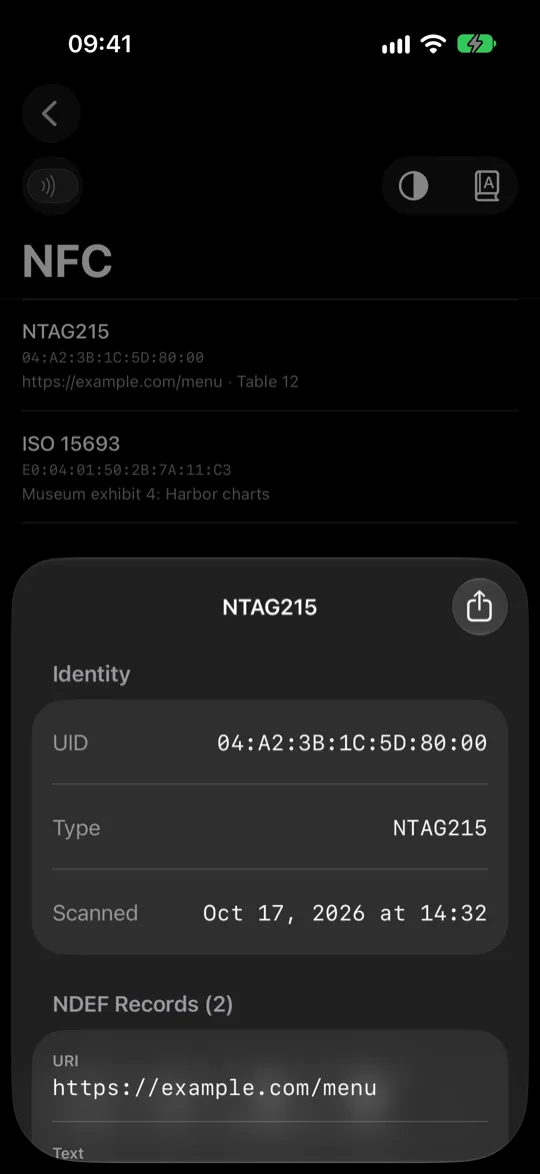
Tags, decoded on contact
Hold your phone to an NFC tag: ISO 7816, ISO 15693 and MIFARE, with NDEF records parsed in place. Travel documents are recognized as such, without touching the protected data behind them.
 SigScan
Every Bluetooth device near your iPhone, on a radar that turns as you do. Turn once and each one gets a direction. Find trackers that should not be there, and see what everything else is.

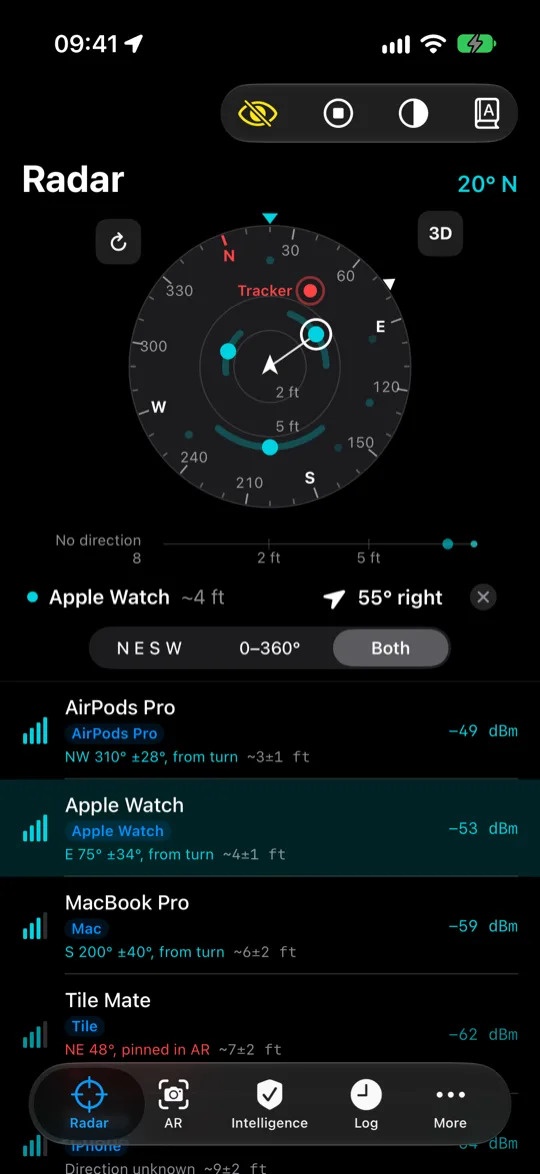
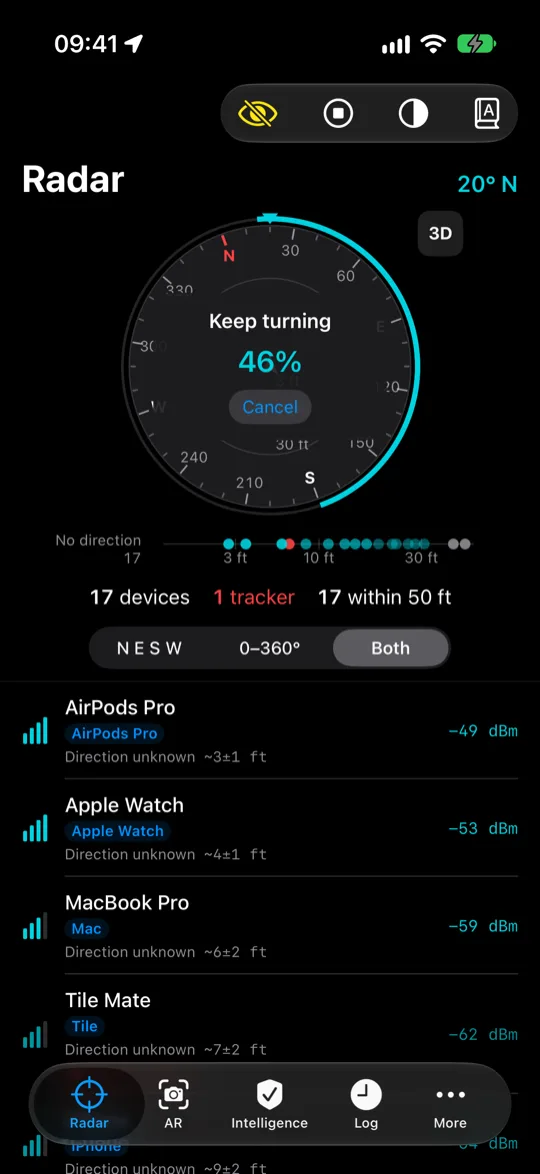
Hold your phone out and turn in a circle. Your body blocks part of each signal, so every device reads strongest when you face it. SigScan fits each signal against your compass heading and places the device with an honest margin, wider when the fit is weak.
Straight ahead is always up. Zoom from 1 ft to 160 ft, tilt it back like Maps, and hold any device to see how far it is and which way to turn. A device with no measured direction waits by distance instead of being drawn where it might not be.
Readings are filtered to hold steady and still follow real movement, and worn devices account for the body they sit on. Put a device one meter away, measure it once, and its distance comes from its real signal from then on.
22,888manufacturers from the Bluetooth SIG registry
44,975hardware identifiers from the IEEE registry
126products read by model, straight from the packet
Both registries ship inside the app and are never queried over the network. Product tables are generated from published formats rather than typed by hand: a SwitchBot Meter, a Xiaomi LYWSD03MMC, a Lock, a Blind Tilt.
Sensors that broadcast their measurements are read as the packets pass: temperature, humidity, battery, motion and contact. Nothing is connected to. These devices already announce it to anyone listening.
Most devices use somebody else’s radio, which is why sensors show up as Espressif or Nordic. SigScan reports the chip maker and the brand separately, with the evidence behind each name and what else it could have been.
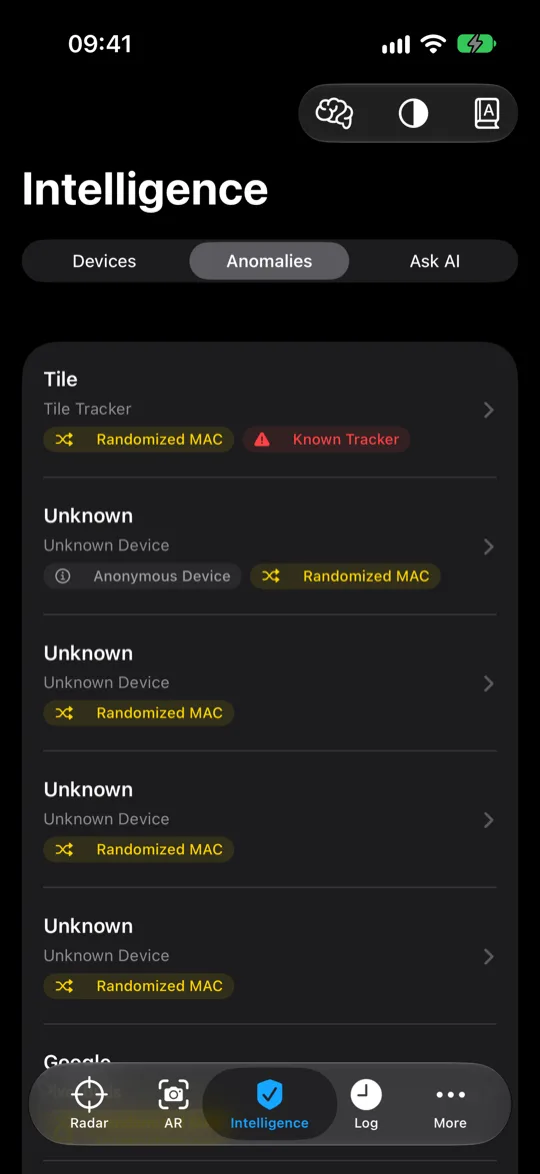
Risk flags surface known tracker models, unnamed devices at high power, and hardware that moves with you. Vendors on the FCC Covered List or restricted under Section 889 are flagged wherever the registries name them, subsidiaries included.
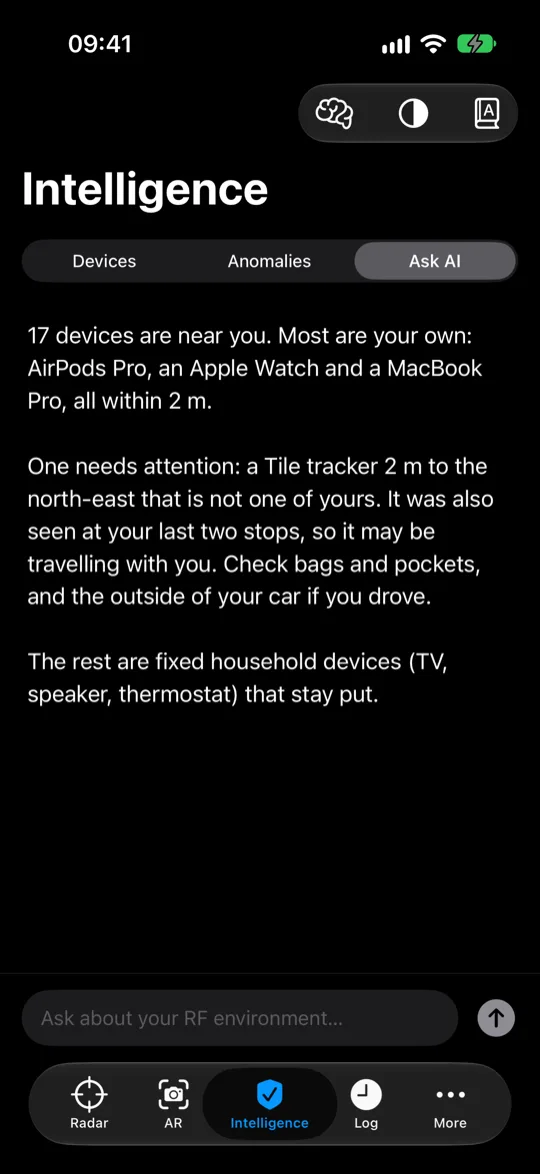
what is the strongest unknown device near me.
Hold your phone to an NFC tag: ISO 7816, ISO 15693 and MIFARE, with NDEF records parsed in place. Travel documents are recognized as such, without touching the protected data behind them.
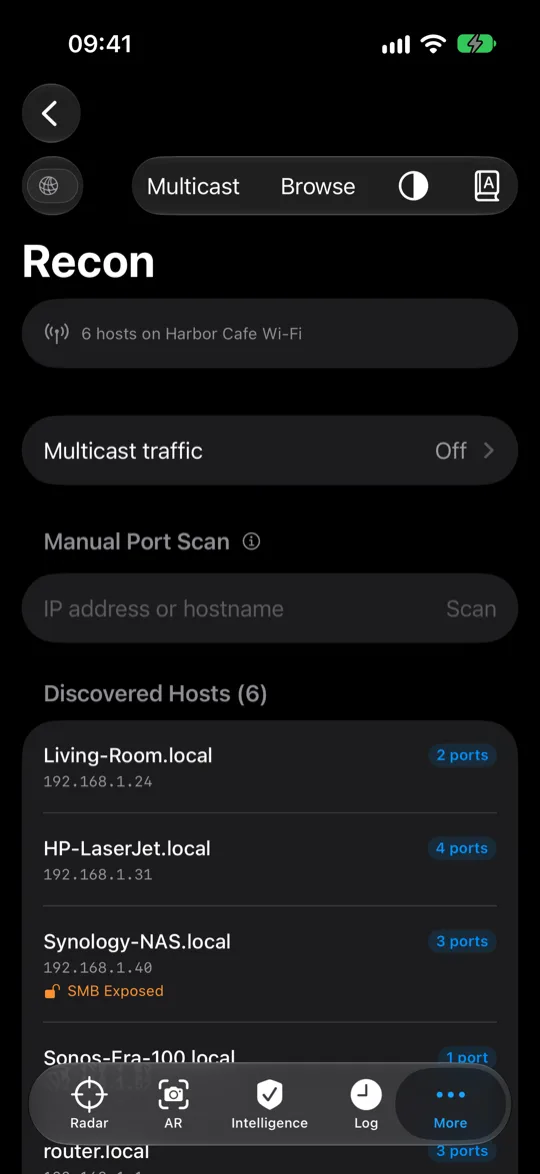
SSID and BSSID, the access point’s vendor, the encryption in use, and whether the address is randomized. Only the joined network: iOS lets no app scan for others in range.
In AR, devices float where they are. On iPhones with LiDAR, real walls hide them. Sampling as you move converges on each position, and off-screen devices become arrows at the edge of the frame.
Every HomeKit accessory by room, with manufacturer, model, serial and firmware read from the accessory itself. Old firmware is where smart home vulnerabilities live.
Every scan is stamped with where it happened and kept on your phone. Review sessions on a map and export CSV when you want it.
Ask AI answers in plain English from the fingerprints on your phone. Questions go through the developer’s server to Anthropic’s Claude; see Privacy.
Open it and scan. Nothing to sign up for, no profile, and nothing leaves the phone unless you ask Ask AI a question.
SigScan sends scan data only when you ask a question in Ask AI: your question, a summary of up to 20 devices (make, model, signal type, category, chip maker, average signal strength, times seen, risk flags, evidence, whether it is moving and how many places it was logged) and your last 30 scan events with device name, time and signal strength.
Never your location. It goes through our server to Anthropic’s Claude API, is processed to answer you, and is not stored. If you never use Ask AI, the app sends none of your data. Read the privacy policy.